Create your first service
You do not build your first service by hand. Komashi generates it from your business description when you create your provider, and ticks Create your first service in the Setup guide.
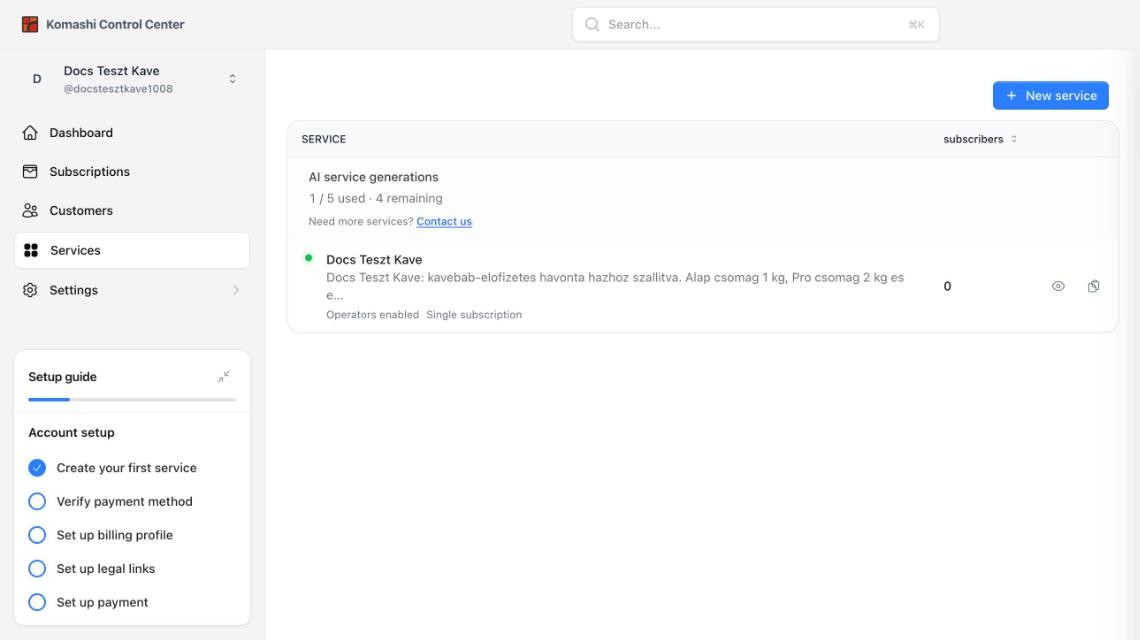
The service appears under Services in the Control Center. While it is being generated, the row shows a progress label. When it is ready, it shows a green dot: the service is live.
Review it before you share your storefront
:::danger Your service is live with starter prices The generated service is published on your storefront straight away. Its prices are fixed starter amounts — they do not come from your description. Either fix the prices first, or open the service and turn Storefront settings → Status off until they are right. :::
Open the service and check:
- Prices. The generator creates three plans — Entry, Growth, and Premium — with starter prices (for example 10 000, 20 000, and 40 000 HUF). Set your real prices in the Pricing tab.
- Plan names and descriptions. They are generic. Rewrite them for what you sell.
- Features. Each plan starts with an empty Add feature list.
- Storefront page. Check the hero text and badges in the Layout editor. Remove anything that does not apply to your business.
See Manage Services for everything the generator produces.
Add more services
Click New service on the Services page. See Manage Services.
Each provider can generate 5 services with AI. The counter at the top of the list shows how many you have left. Need more? Click Contact us next to the counter.
Next: Verify payment method