VAT and Tax Profiles
Configure the tax rules that drive your pricing and invoices. Open Settings → VAT and Tax Profiles (under the BILLING group) in the Control Center.
This page has two parts: your Tax profiles and per-country Billing country rules.
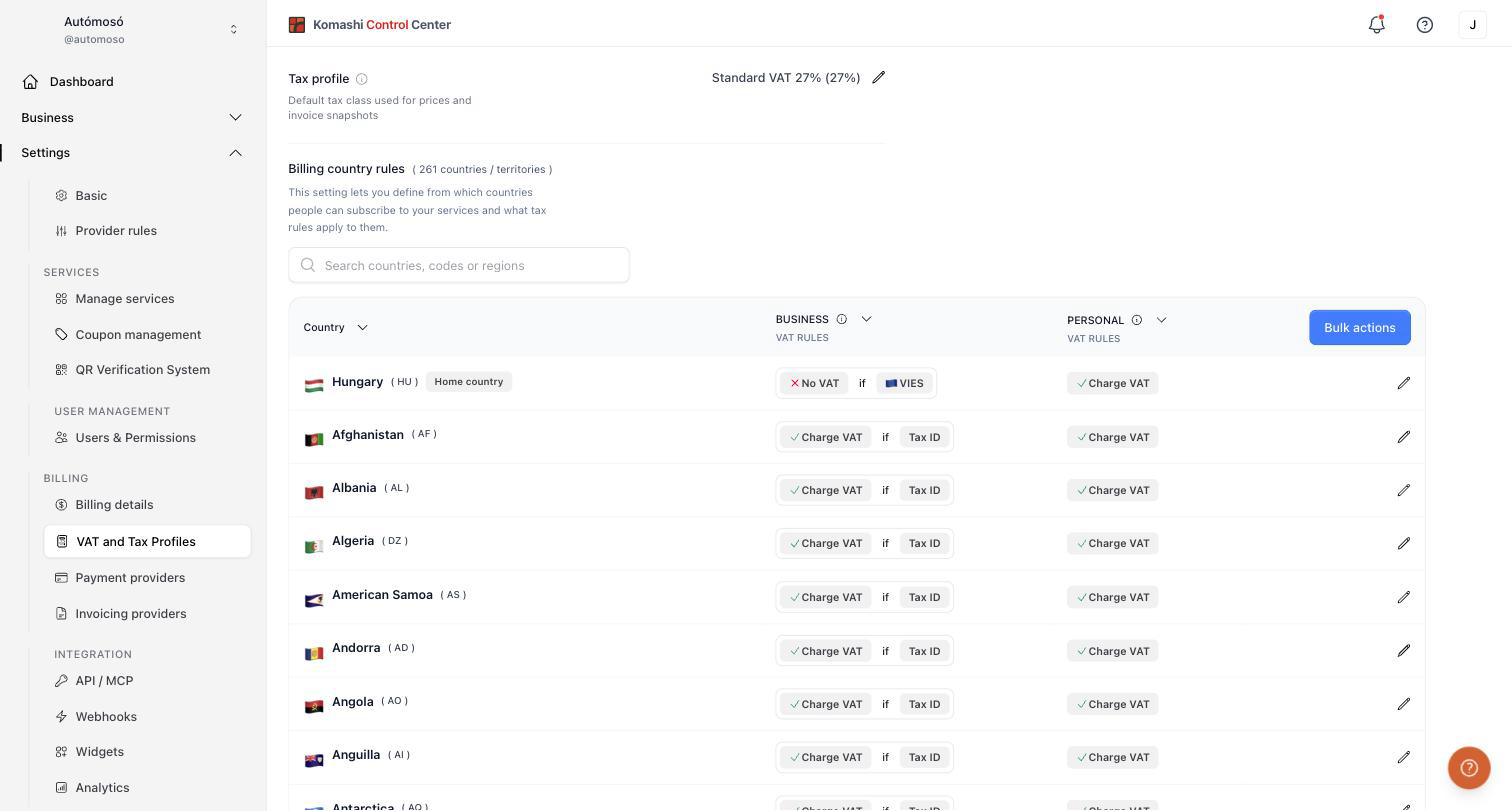
Tax profiles
A tax profile holds the tax classes available to your prices — for example Standard VAT 27%. One profile is the default, and its tax class is captured in invoice snapshots.
This is the source of the tax class Komashi applies when you set a price in the Pricing editor. You do not normally choose it per price: Komashi selects it from the service's VAT category and the field is disabled unless you enable Choose manually on that price.
Manage profiles
- Click Add tax profile to create another one.
- Click Set default to make a profile the default.
- The default profile cannot be deleted.
Tax classes in a profile
- Click Create custom tax class when none of the supported classes fit your case. Enter a name and a VAT percentage.
- Click Request new tax class to ask the Komashi team for one.
- Deleting a class removes it from your active options. It does not change invoices already issued.
Detached classes
A class marked Detached is one the platform has retired. Existing subscriptions and billing keep using it, but it is detached from the template, so future template updates do not recreate it.
Changing your billing country may create, update, or migrate tax profiles and the related tax data. Review this page after a country change.
Billing country rules
Billing country rules determine how VAT is handled based on the customer's billing country, and therefore which countries a customer can subscribe from.
Rules are defined for 261 countries and territories, each with a separate rule for BUSINESS and PERSONAL customers. Available rule types include:
- Charge VAT — always apply VAT.
- Charge VAT if Tax ID — apply VAT when the customer provides a tax ID.
- No VAT if VIES — skip VAT when the customer's EU VAT number is valid in VIES (used on the "Home country" row).
Use the country search to find a country quickly, or Bulk actions to apply a rule to many countries at once.
Because these rules govern how VAT is applied per country, they also affect which billing countries a customer can complete a subscription from. Review them before going live.
Related: Billing Details, Service editor