Invoicing Provider
What is an invoicing provider?
An invoicing provider is the service that generates and sends invoices to your customers after each successful payment. It is separate from the payment provider — the payment provider handles the money, the invoicing provider handles the document.
You connect your own invoicing provider to Komashi. Invoices are then issued automatically after every successful transaction, without any manual step.
An invoicing provider is not required to start selling. You can issue invoices manually outside Komashi if you prefer. The invoicing provider integration is optional.
Invoice methods
Open Settings → Invoicing providers in the Control Center. Use the search field to find a provider, and the country selector to filter methods available in your region.
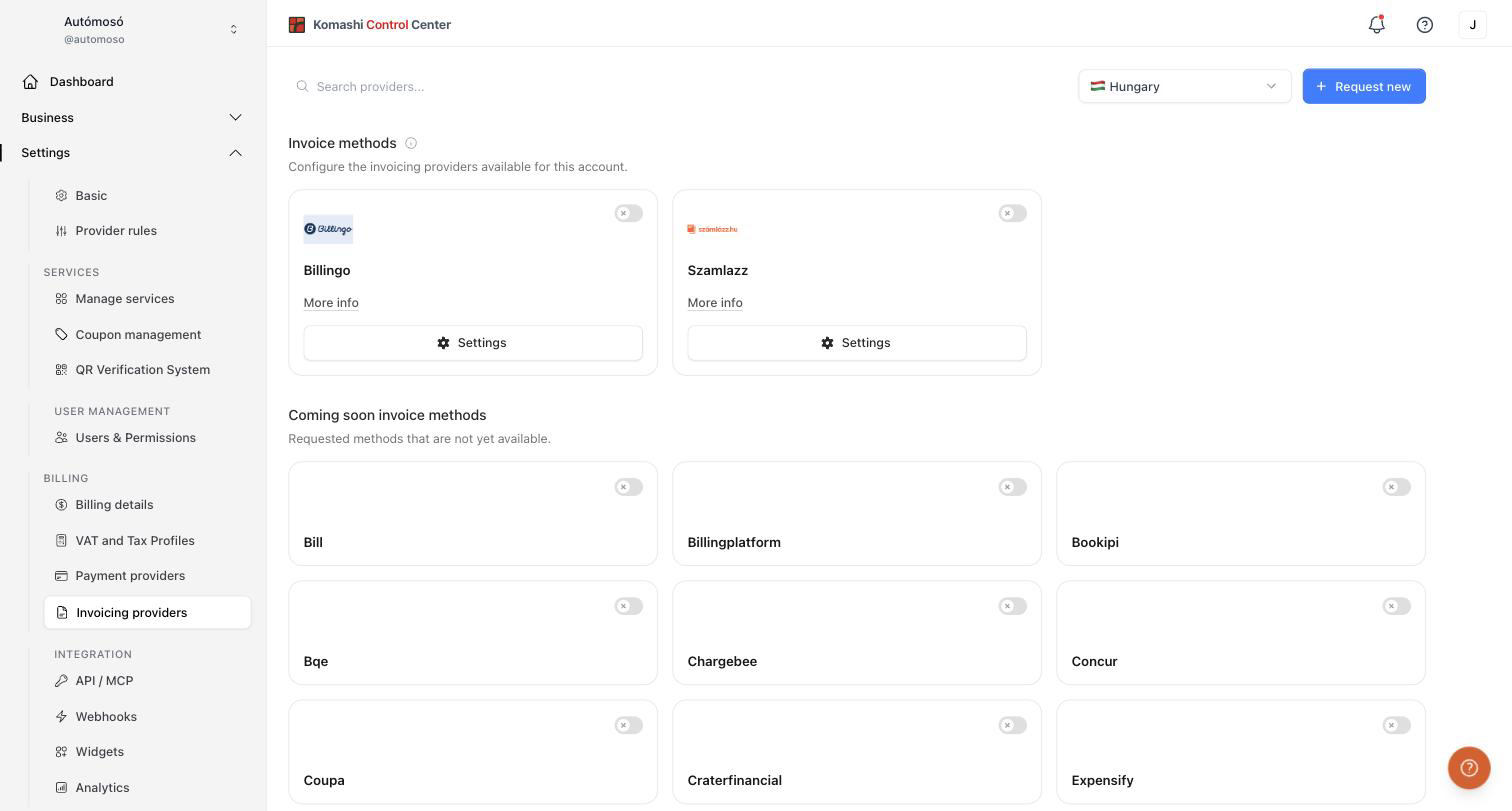
Available methods (for example Billingo and Szamlazz) appear as cards. For each you can:
- Enable or disable it with the toggle.
- Open More info to read about the provider.
- Click Settings to enter your credentials.
- Mark it as the Default invoice method to use it as your default invoicing provider.
Methods under Coming soon invoice methods are requested but not yet available. Click Notify me when available to be told when one goes live.
How to connect via API key
Most invoicing providers connect through an API key:
- Generate an API key in your invoicing provider's dashboard.
- In Komashi, go to Settings → Invoicing providers.
- Click Settings on the provider's card.
- Enter the API key and any required details, then save.
- Turn on the toggle.
Once connected, invoices are generated and sent automatically after every successful payment.
Request a new invoice method
If your invoicing provider is missing:
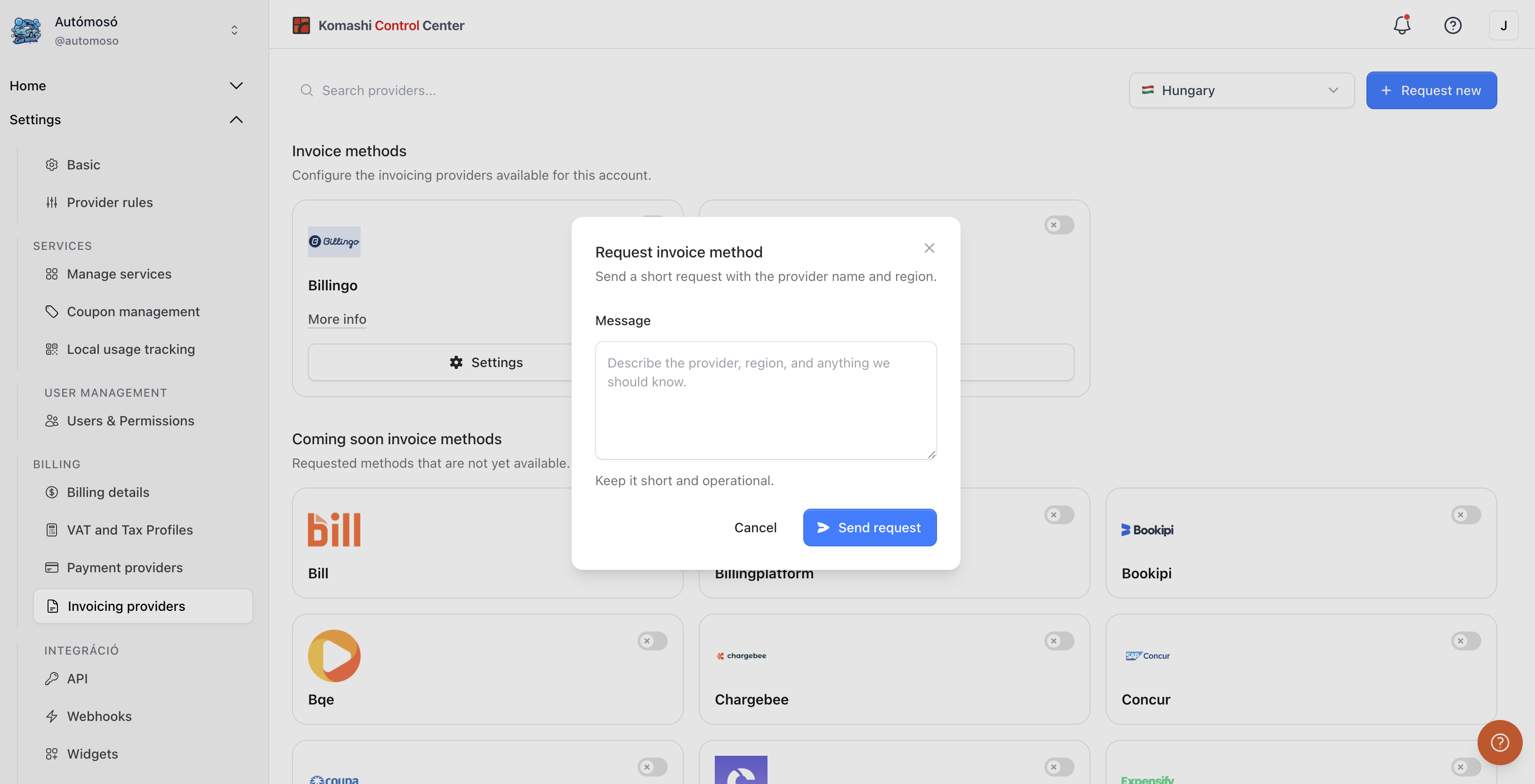
- Click Request new.
- Describe the provider, region, and anything we should know. Keep it short and operational.
- Click Send request.
Manual invoicing
If you prefer not to connect an invoicing provider, you can issue invoices manually outside of Komashi. The platform still tracks the transaction and subscription — the invoice document is your responsibility in this case.
Related: Payment Providers, Billing Details