Coupon Management
Create, edit, and delete discount coupons. Open Settings → Coupon management in the Control Center.
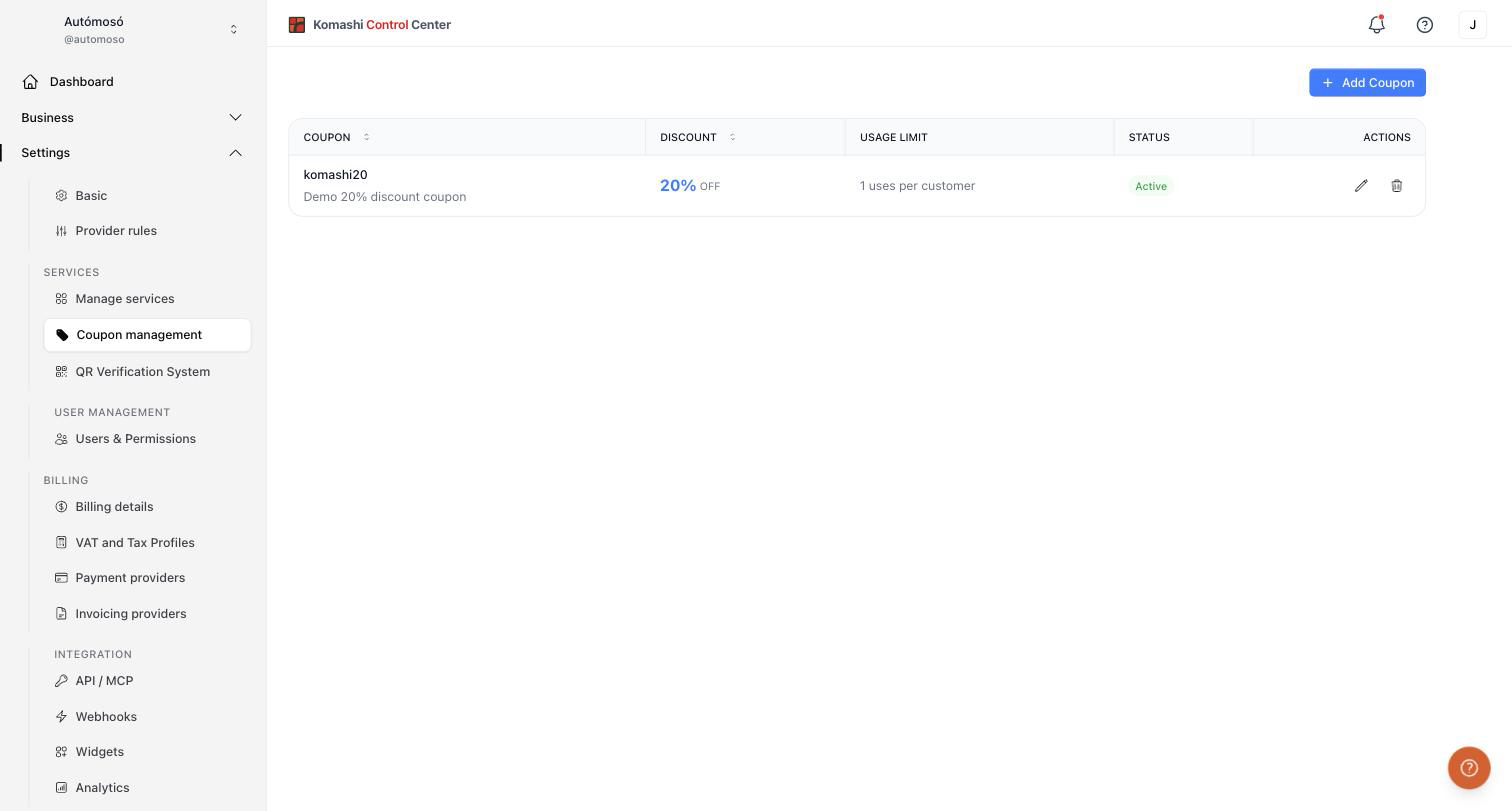
Coupon list
The table shows every coupon with its discount, usage limit, and status (Active or disabled). Sort by coupon name or discount with the column headers. Use the pencil icon to edit and the trash icon to delete.
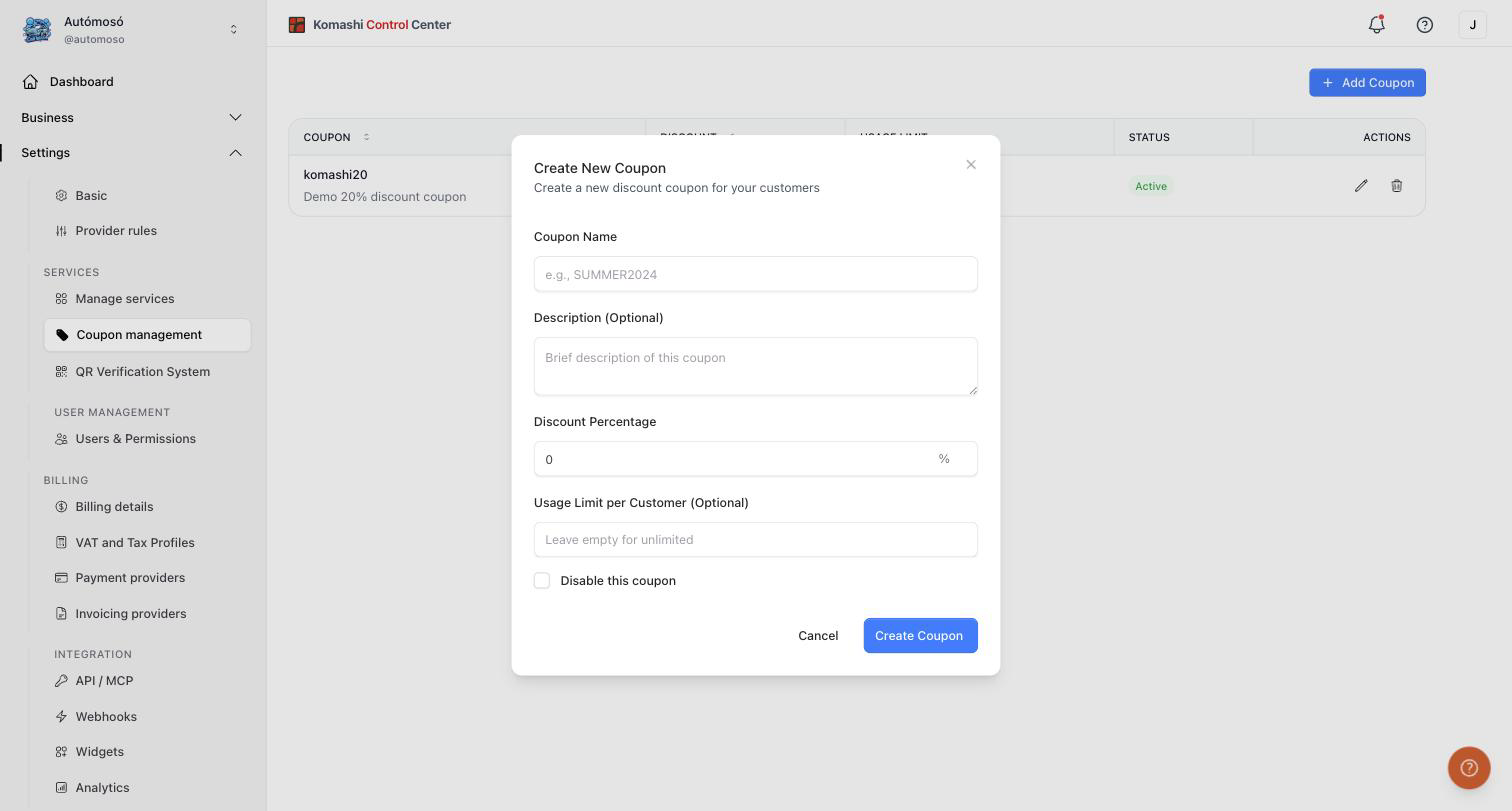
Create a new coupon
- Click Add Coupon.
- Fill in the Create New Coupon form:
- Coupon Name — the code customers enter, for example
SUMMER2024. - Description (Optional) — a brief internal note.
- Discount Percentage — for example
20%. - Usage Limit per Customer (Optional) — a number between 1 and 999. Leave it empty for unlimited usage.
- Disable this coupon — check it to create the coupon in a disabled state.
- Coupon Name — the code customers enter, for example
- Click Create Coupon.
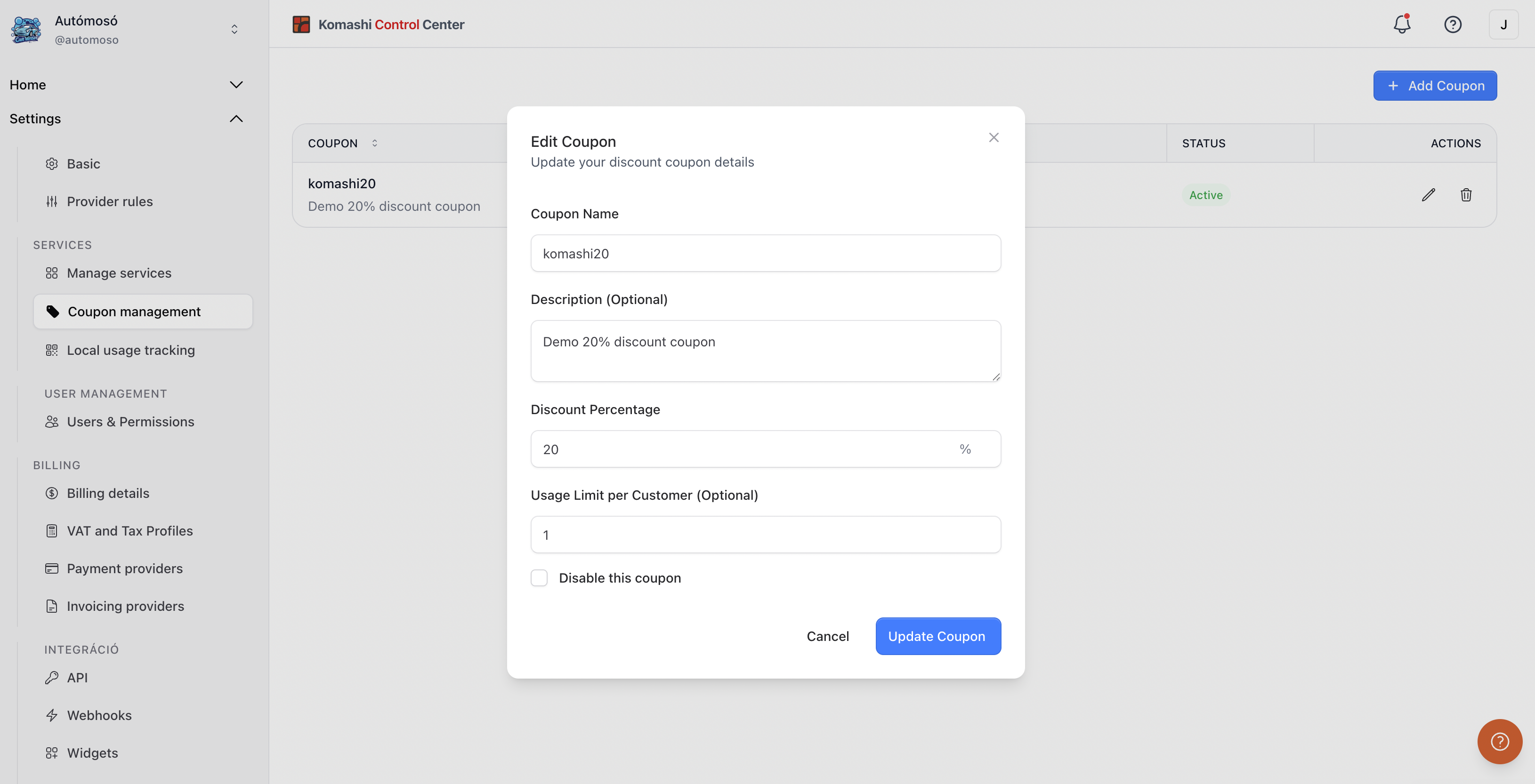
Edit a coupon
- Click the pencil icon next to the coupon.
- Update the name, description, discount percentage, or usage limit.
- Check Disable this coupon to deactivate it without deleting it.
- Click Update Coupon.
Delete a coupon
- Click the trash icon next to the coupon.
- Confirm the deletion.
tip
If you only want to pause a coupon, disable it instead of deleting it. You can re-enable it later.