Widgets
Embed Komashi widgets on your own website so customers can subscribe and manage subscriptions without leaving your site. Open Settings → Widgets in the Control Center.
Two widget types are available: Service Picker and Subscription Details. Switch between them with the tabs at the top of the page.
The page shows a live example embed and a ready-made <script> tag for each type. The example is there to show you what the widget looks like — you do not configure the widget on this page. Everything the widget needs is passed in the embed code's data-* attributes.
Service Picker
Lets customers select a service and subscribe directly on your website. Customers are handled inside the widget — you do not preselect one here.
The Embedded example shows the widget rendered with your first service, so you can see how your pricing and branding look before you embed it.
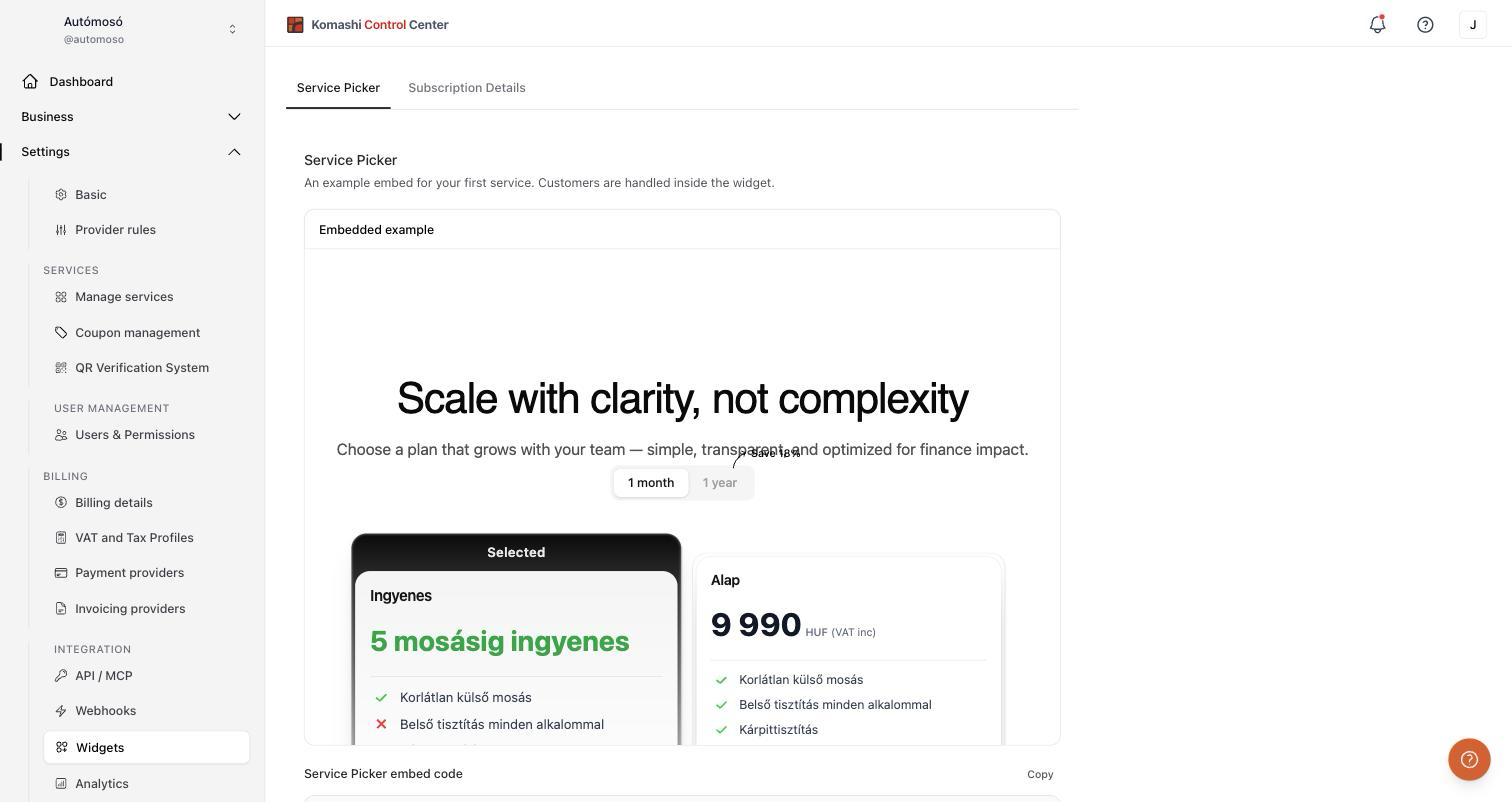
Copy the embed code with the Copy button and paste it into your website's HTML:
<script
  src="https://<your-instance>/widget/embed.js"
  data-komashi-widget
  data-service-id="YOUR_SERVICE_ID"
  data-view="service-picker"
></script>
Attributes:
data-service-idrequired — the service to display.data-viewrequired — useservice-picker.data-customer-idoptional — preselect an existing customer.data-redirect-urloptional — URL after checkout.
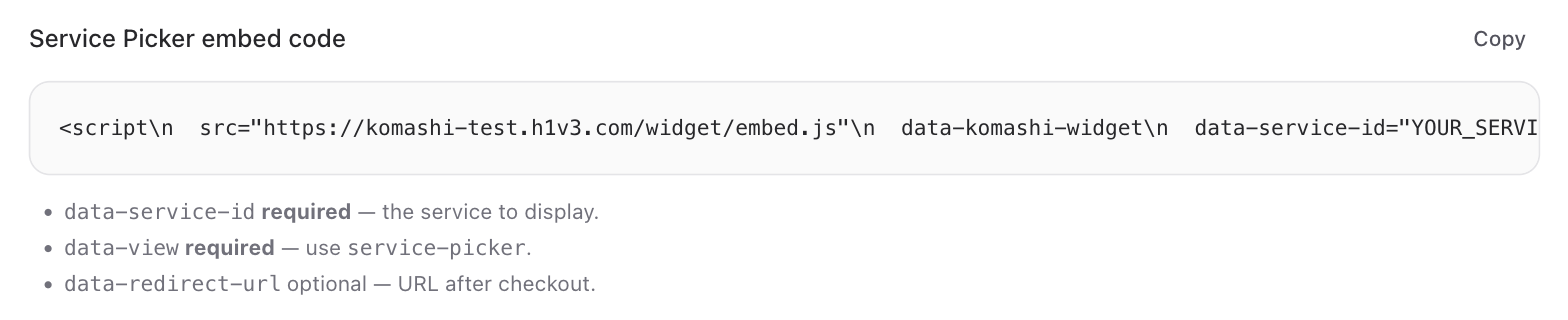
The copied code contains your instance's host, but YOUR_SERVICE_ID is a placeholder. Replace it with the ID of the service you want to show. You can find service IDs in Manage Services.
Subscription Details
Displays and manages an existing subscription on your website. No subscription selector is needed in the embed — the subscription is identified by its ID.
If you do not have a subscription yet, the example area shows "Create a subscription for a service to see the embedded subscription details example." instead of a preview. The embed code is still available below it, so you can prepare your integration before your first subscription exists.
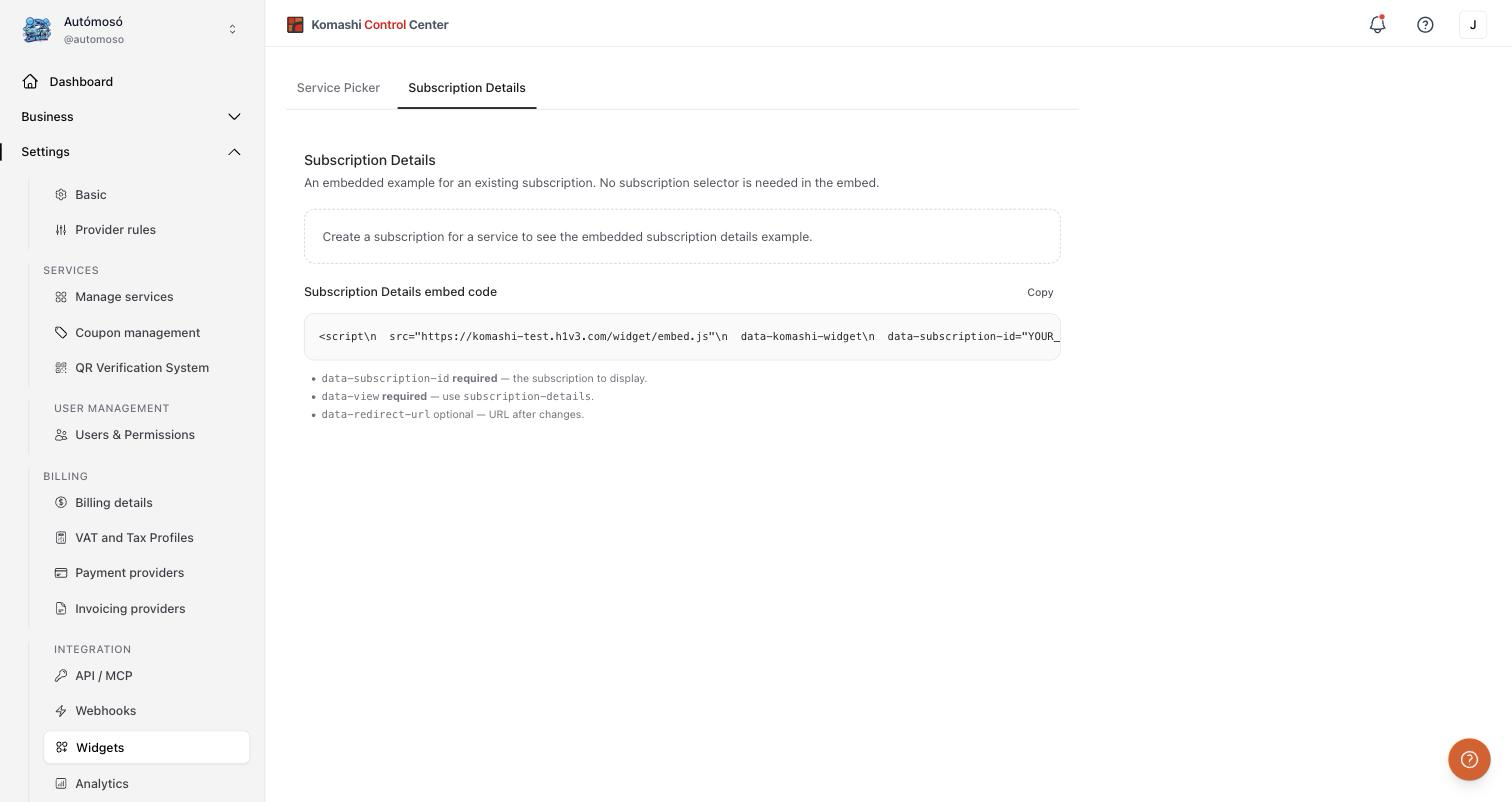
<script
  src="https://<your-instance>/widget/embed.js"
  data-komashi-widget
  data-subscription-id="YOUR_SUBSCRIPTION_ID"
  data-view="subscription-details"
></script>
Attributes:
data-subscription-idrequired — the subscription to display.data-viewrequired — usesubscription-details.data-customer-idoptional — preselect an existing customer.data-redirect-urloptional — URL after changes.
:::note Rate limit The widget endpoints accept 60 requests per minute per client. :::
Related: Manage Services, API Tokens