

Subscription billing: build or buy? A decision worksheet
Build subscription billing or use ready-made subscription billing software? A scored requirements worksheet, ownership boundaries and three worked decisions.
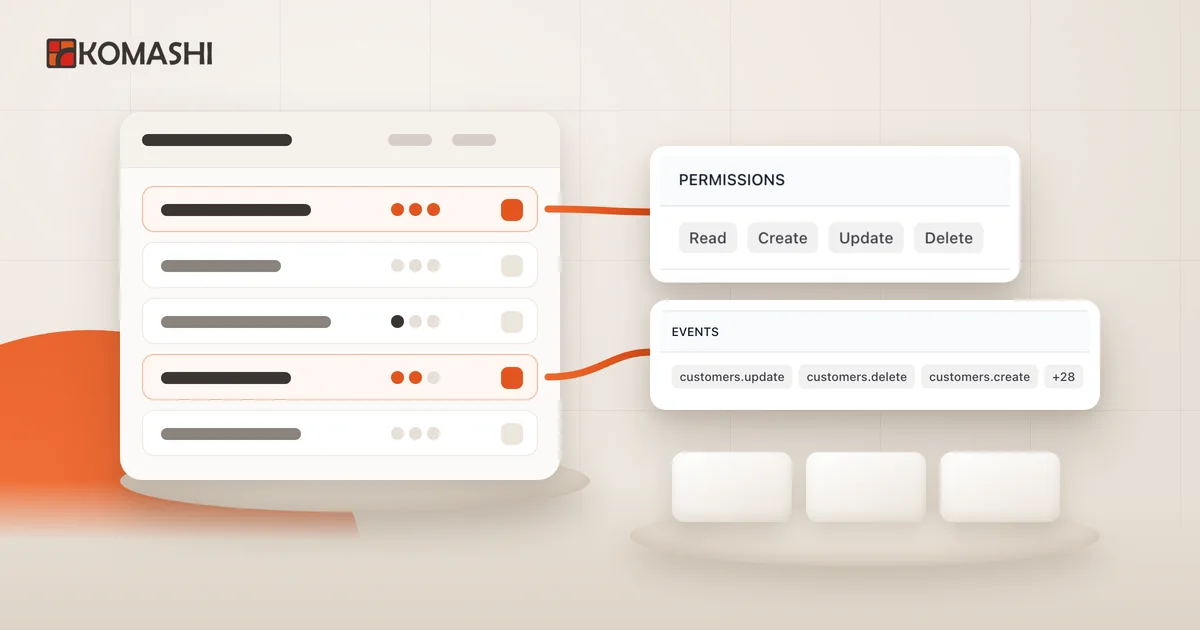
At a glance
Decide build or buy for subscription billing per requirement, not as one yes/no question. Build what differentiates your service (access rules, your own application); buy what every subscription business needs in the same form (renewals, plan changes, cancellation, invoicing, VAT, a customer portal). The scored worksheet and its downloadable template show what stays with you.
The short answer: build or buy?
Don’t treat subscription billing as a single build-or-buy question. Split it into requirements and ask two things about each one: does it differentiate your service, and how much ongoing operational burden does it carry if you own it?
For most providers the two groups separate cleanly:
- Unique to you: what the customer gets and when, how your own application works, which rule decides access, and what you measure as usage.
- The same for every subscription business: plans and billing periods, checkout, renewals, plan changes, cancellation, invoicing, VAT by country, a customer portal and team permissions.
Keep the first group in-house and take the second from subscription billing software. Building is justified when one of the items in the second group is not standard for you and that difference is a business advantage. The scored worksheet and three worked examples below help you decide. In a hurry? Jump straight to the requirements and ownership worksheet, or download the worksheet as an Excel file.
What buying looks like with Komashi
If you lean towards ready-made software, getting started with Komashi takes three steps:
- Create your provider. Describe your business, and Komashi creates your branded workspace and your first service. Review the generated plans and prices.
- Set up. In the Control Center’s setup guide, add a card for your Komashi fees, your billing details and your legal links, then enable payment methods on your own payment provider. Connecting an invoicing provider is optional.
- Sell and track. Share your storefront link or embed the widget on your website, then follow subscriptions, plan changes and invoices in the Control Center.
The Komashi getting started guide has the detailed steps, and how Komashi works gives the overview.
If you are just launching your first subscription service, start with the subscription website launch checklist.
What is actually unique to your service?
To a developer, a subscription looks like one table: customer, plan, price, next charge date. That covers the first week of work. Then come the questions that have nothing to do with what makes your product special and everything to do with collecting money on a recurring basis:
- What happens when a customer moves to a bigger plan mid-month (an upgrade)? How much do they pay today, and how much at the next renewal?
- What happens when they move to a smaller plan (a downgrade)? Do you refund, or does it take effect at the end of the period?
- Does cancellation end access immediately, or at the end of the period?
- Who issues the invoice, and when? What about a free plan with nothing to pay?
- A business customer with a validated tax number may be charged VAT differently from a private individual. Which countries can buy at all?
- Who on your team can see customers, and who can give discounts?
These questions all have good answers, but none of them is your competitive edge. Whether you sell an accounting advisory package, an online course or software, customers don’t choose you because your proration is elegant. They do notice immediately when it is wrong.
So the useful question is not “can we build it?” but which requirement are you willing to own for years?
What you have to operate if you build
The real billing implementation cost isn’t the first version; it’s everything you operate after it. A billing system runs continuously and has to prove itself again at every renewal, every plan change and every rule change. If you build, all of this stays with your team:
| Area | What has to be operated |
|---|---|
| Catalogue | Services, plans, billing periods, add-ons and discounts; a price change must not rewrite existing subscriptions |
| Checkout | Payment page, payment provider integration, return from payment, failed payment handling |
| Lifecycle | Renewals, prorated upgrades, scheduled downgrades, cancellation, the effect of deleting a service on its subscribers |
| Invoicing | An invoice after each successful payment, free plans, credit notes, invoice archive |
| Tax | VAT rates, business versus private customers, tax number validation, blocked countries |
| Customer side | Sign-in, subscription and invoice lists, billing detail changes, cancellation |
| Team | Roles, who can give discounts, who can see customer data |
| Integration | API, event notifications, retries, idempotent processing, logging |
This is not an argument against building. It shows that building is not a project but another product you have to maintain.
How Komashi splits the work
Choosing ready-made software doesn’t make these areas disappear; it changes who owns them. Based on the Komashi docs, the split looks like this:
- Money: the customer pays your payment provider and the payout lands in your account; Komashi is not in the money flow. You enable payment methods under payment providers.
- Invoices: your connected invoicing provider issues them automatically after each successful payment. For checkouts with nothing to pay (a free plan or the start of a free trial), Komashi does not call the invoicing provider. Connecting one is optional; you can invoice manually instead. The payments and invoicing integrations page has the summary.
- Plan changes: according to the Subscriptions guide, an upgrade charges only the increase today, prorated for the rest of the period; a downgrade takes effect at the end of the billing cycle, and decreases are not refunded. Editing a catalogue price does not change the price of an existing subscription.
- Cancellation and deletion: in the provider rules you choose whether a cancellation takes effect at the end of the period or immediately, and whether subscriptions to a deleted service end or keep renewing.
- VAT: you enter net prices; the VAT charged is decided at checkout from the service’s VAT category, your country and the customer’s, and whether the customer buys with a business tax number. You can also disable purchases from specific countries (VAT and tax profiles). These are settings, not a guarantee of tax compliance: have your own rules checked by a professional.
What you accept when you buy
Ready-made software has trade-offs too, and they are worth stating before you decide:
- The data model’s limits. Your offer has to fit the service, plan, period, add-on and usage structure. Anything that doesn’t needs a workaround or custom development.
- Fixed rules. Proration, downgrades and cancellation follow the system’s rules. If you need different rules, that row scores D ≥ 2 in the worksheet.
- A limited write surface. You configure the catalogue and coupons in the Control Center; according to the docs, not every catalogue item has a public REST write endpoint.
- Ongoing fees and exit. Ready-made software is a continuing cost. At the start, also check how you get your data out: customers, subscriptions and invoices can be read through the REST API.
Check one thing separately: the Komashi docs currently do not describe retry scheduling or a grace period for failed recurring payments. If that is critical for you, ask before going live and review your payment provider’s settings as well.
The requirements and ownership worksheet
This is the article’s own worksheet. Give each row two scores from 0 to 3:
- D – differentiation: how much does this requirement set your service apart? (0: not at all, 3: it is your business advantage)
- O – operational burden: how much continuous work and risk does it carry if you own it? (0: negligible, 3: a mistake costs money or creates legal risk)
Decision rule:
- D ≥ 2 and O ≤ 1: build it yourself, or handle it in your own application on top of a ready-made system’s API.
- D ≥ 2 and O ≥ 2: build it only if you also commit to operating it continuously. If not, narrow the custom part: keep what is genuinely unique, and take the standard remainder from ready-made software.
- D ≤ 1 and O ≥ 2: buy it.
- D ≤ 1 and O ≤ 1: either way; keep it where the related data lives.
| Requirement | D | O | If you build, you own | What Komashi handles (and who else) | What stays with you |
|---|---|---|---|---|---|
| Plans, periods, prices | Data model, price changes | Komashi catalogue | What you offer and at what price | ||
| Checkout and payment page | Payment page, provider integration | Komashi checkout + your payment provider | Choosing and contracting a payment provider | ||
| Renewals | Scheduling, charging, error handling | Komashi + your payment provider | Checking the failed payment process | ||
| Plan changes, proration | Calculation rules, scheduled downgrades | Komashi | Whether you allow it | ||
| Cancellation | Interface, rules, end of access | Komashi customer portal | Choosing the cancellation mode, your terms | ||
| Invoicing | Invoicing integration, credit notes | Your connected invoicing provider | Choosing a provider or invoicing manually | ||
| VAT and countries | Rule engine, tax number validation | Komashi VAT rules | Setting tax profiles and country rules, professional review | ||
| Customer portal | Sign-in, lists, detail changes | Komashi customer portal or widget | Branding, legal links | ||
| Team permissions | Roles, audit trail | Komashi admin and operator roles | Who gets access | ||
| Access to your service | Access rules and checks | – | Delivering the service and the access decision | ||
| Usage tracking | Measurement and billing | Komashi usage on the subscription | What you measure and when you send it | ||
| Syncing your application | All of it | REST API and webhooks | Receiving endpoint, idempotent processing |
You fill in the two empty columns; the same row scores differently for a consultant and for a SaaS team. On a phone or with your team, the downloadable worksheet is easier: Excel (XLSX) or CSV. Open it in a spreadsheet; the decision rule is included. If a row scores D ≥ 2 and Komashi’s data model (service, plan, period, add-on, usage) cannot describe the need, that is a genuine reason to build that part.
Three worked decisions
The teams below are fictional examples of using the worksheet, not customers and not measured results.
1. A solo consultant with monthly and annual plans
Three plans, monthly and annual periods, sold to both individuals and companies. No developer on the team.
- Only the advisory content scores high D; every billing row is D 0–1, O 2–3.
- Decision: buy, with no development. The provider storefront (your public purchase page on Komashi, where customers choose a plan and pay) or a widget embedded in the website is enough; the work is connecting payment and invoicing providers, choosing a cancellation mode and setting VAT rules.
2. A small SaaS team with its own application and usage limits
The service runs in the team’s own application, and plans include a monthly usage allowance (the usage limits and add-ons page shows how allowances and add-ons are set up).
- Access and usage tracking score D 3; renewals, invoices, VAT and plan changes score D 0–1.
- Decision: a hybrid: billing in ready-made software, access in the team’s own application. The REST API starts the checkout (
POST /services/{service}/subscriptions, then redirect the customer to the returnedcheckout_url), and usage is sent withsync-usage(new absolute total) oradjust-usage(increase or decrease). The team’s application decides access based on the subscription state stored in Komashi.
3. A provider with bespoke, per-customer contract billing
Every customer has different pricing, invoicing is tied to individual milestones, and that is part of the offer.
- Billing logic scores D 3 and cannot be described with plans, periods and add-ons.
- Decision: this is the D ≥ 2 and O ≥ 2 case. Building or a bespoke invoicing process is justified here, but only if the team also commits to operating it continuously. If the provider also sells standard subscription plans alongside, those are worth handling separately in ready-made software.
What you still build when you buy
If you connect your own application, ready-made billing doesn’t remove every development task. These stay with you:
- API keys on the server only. Create the key on the API keys page with the ability each operation needs: Read for lookups, Create for starting checkouts, Update for usage updates and cancellation. Embedding a widget needs no API key in the browser.
- Access from state, not the return URL. A browser arriving at your
return_urldoes not prove payment. Read the current subscription state before granting paid access. - Idempotent webhooks. Webhooks are signed with HMAC-SHA256; verify the signature against the original request bytes. According to the docs (November 2026), each delivery gets at most four attempts in total, with retries after 10, 60 and 300 seconds; always check the docs for current values. So the same event can arrive more than once, and ordering is not guaranteed. Respond quickly with a 2xx, do slow work asynchronously, and read the state back through the API before an important decision.
- Careful retries on writes.
adjust-usageapplies the change again on every repeat; after a network error, read the current value first.
The interactive API reference holds the exact, current endpoints and fields. Open it from the Documentation link on Integration → API in the Control Center (see the REST API integration guide). This article quotes only what the decision needs. Widgets, the API and webhooks can be used together; the developer overview explains which fits which need.
Next step
Fill in the worksheet for your own service (Excel). If billing is not a competitive advantage for you, meaning most billing rows score D 0–1, start with ready-made subscription billing software and build only the boundary to your own application.
- Starting without development? Create your provider on Komashi. The storefront and widget work without code; the getting started guide walks you through the first steps.
- Connecting your own application? See the Komashi developers page (API, webhooks), then continue with the docs developer overview and a first request with a Read-only API key.
Frequently asked questions
When does it make sense to build your own subscription billing?
When the billing logic itself differentiates your service, or when your offer cannot be described with services, plans, billing periods, add-ons and usage. In that case, plan for renewals, plan changes, cancellation, invoicing and VAT as something you operate and maintain for years, not a one-off project.
Do I need a developer to use Komashi?
Not necessarily. The Komashi provider storefront and the embeddable widgets work without development. You need a developer when you connect your own application: starting checkouts through the REST API, recording usage, or updating your own access rules from webhooks.
Who handles the money with ready-made subscription billing software?
With Komashi, the customer pays your payment provider and the payout lands in your account; Komashi is not involved in the money flow. You enable the payment provider in the settings with your own credentials.
Does Komashi issue the invoice for a subscription?
Your connected invoicing provider issues it automatically after each successful payment. Connecting one is optional: you can also invoice manually outside Komashi, in which case the invoice is your responsibility, while Komashi still records the transaction and the subscription.
What stays with me if I buy rather than build?
Service delivery and the access decision in your own application. If you integrate, grant access based on the subscription state stored in Komashi rather than the browser's return URL, verify and process webhooks idempotently, and keep the API key on your server only.
Sources and further reading
- Komashi Docs — Get started
- Komashi Docs — Developer overview
- Komashi Docs — REST API integration
- Komashi Docs — Webhooks
- Komashi Docs — API keys
- Komashi Docs — Embed widgets
- Komashi Docs — Subscriptions
- Komashi Docs — Provider rules
- Komashi Docs — Payment providers
- Komashi Docs — Invoicing provider
- Komashi Docs — VAT and tax profiles
- Komashi Docs — Who is a provider?
Updated:
More articles
White-label customer portal for subscriptions: a planning checklist
Plan a white-label customer portal for subscriptions: who handles cancellations and invoices, how VAT is applied, and what to test before launch.
Launch a subscription website: your first-service checklist
Launch a subscription website using your existing site: define an offer, connect a Komashi link or widget, and check payments, invoices and service delivery.
Subscription management API: connect your customer portal
Connect your own customer portal to a subscription management API: an ID map, API key permissions, checkout, status reads, webhooks and an acceptance checklist.