

How to turn a one-off service into a subscription
Turn one-off work into a service subscription model: a worksheet from past jobs, a pricing example, package structure and a migration plan for existing clients.
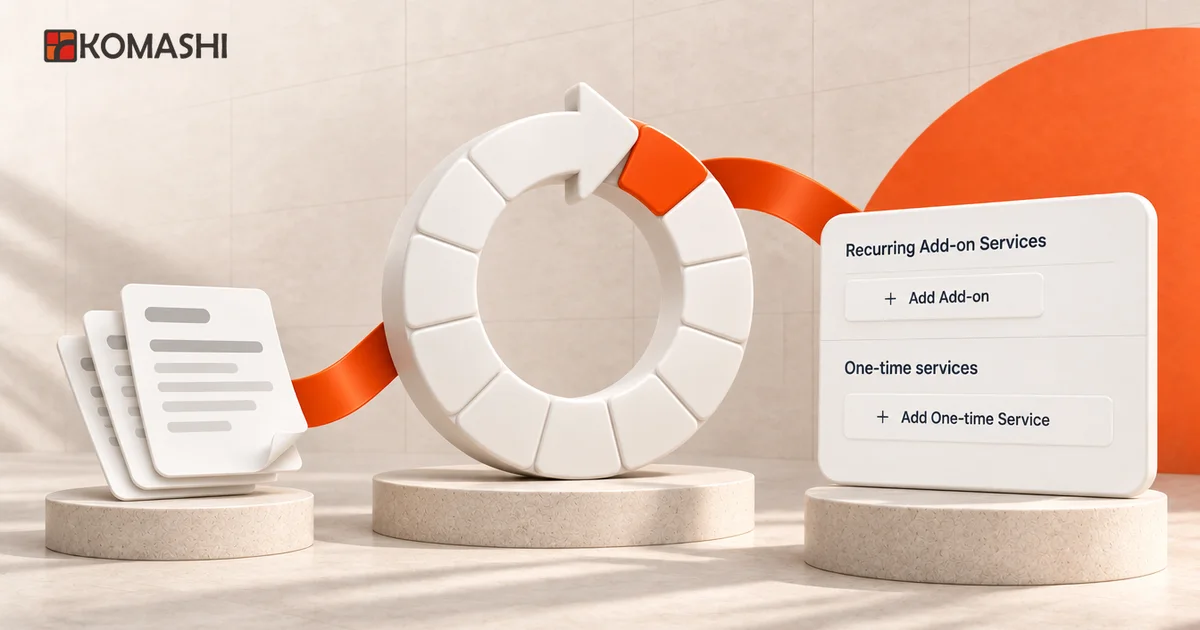
At a glance
A one-off service becomes a workable subscription when you build the package from your past jobs rather than from an imagined customer: what repeated, for how many clients and with how much work. That tells you what goes into the monthly plan, what becomes a one-time setup fee or add-on, and what stays a separate quote. Existing clients can't be switched over automatically, so you need an announced, staged offer by client group.
The short answer: how does one-off work become a subscription?
If every month starts from zero because you only invoice what clients happen to ask for, your revenue depends on their memory. Meanwhile the same small jobs keep coming back, each with its own quote and its own invoice.
A one-off service turns into a workable service subscription model when you build the package from your past jobs, not from an imagined ideal client. Four steps:
- Review the last 6–12 months of one-off work: what repeated, for how many clients and with how much effort.
- Classify the work: monthly plan, one-time fee, add-on, or separate quote.
- Price from your own data: the monthly workload of a typical client and a high-demand one, so that even a fully used allowance stays profitable.
- Move existing clients in stages: with notice, with open jobs closed out, and with a one-off route for clients who don’t fit a subscription.
If you’re still deciding whether a recurring model suits your service at all, the komashi.com guide on turning a service into a recurring package covers five questions to settle before launch. This article covers the next step: how to calculate the package and introduce it to the clients you already have.
1. A worksheet built from your past jobs
Pull together your recent quotes, invoices or job sheets, and fill in the columns below for each type of work. The example is made up: a freelance IT technician who works for small offices on request. It is not client data and not a measured result.
| Type of work | Clients it happened for (12 months) | Frequency per client | Average effort per job | Classification |
|---|---|---|---|---|
| Account and password issues, small fixes | 8 / 8 | 2–3 a month | 0.5 hours | Monthly plan (up to the allowance) |
| Update and backup checks | 6 / 8 | irregular, on request | 1.5 hours | Monthly plan (once a month) |
| Initial audit and documentation | 8 / 8 | once per client | 4 hours | One-time setup fee |
| New workstation setup | 5 / 8 | 1–2 a year | 3 hours | Add-on or separate item |
| Network redesign, server migration | 2 / 8 | project | 15+ hours | Separate quote, not in the plan |
What the worksheet tells you:
- Work that comes back almost every month for almost every client is the core of the plan. Here, that’s small fixes and regular checks.
- Work needed once per client shouldn’t be folded into the monthly fee. A one-time setup fee is clearer, and it doesn’t penalise long-standing clients.
- Work that only some clients need becomes an add-on or a separate item, so not everyone pays for it.
- Projects stay outside. If the plan promises “everything”, the first big project will wreck your capacity.
Write the exclusions down too, for example “hardware purchases, on-site work outside business hours, faults in third-party software”. The exclusion list matters as much as what’s included.
2. Pricing from your own numbers
With the worksheet done, estimate monthly work for two client types: typical and high-demand. Continuing the made-up example (amounts excluding VAT, not a suggested price):
| Typical client | High-demand client | |
|---|---|---|
| Small fixes | 2.5 × 0.5 = 1.25 hours | 4 × 0.5 = 2 hours |
| Monthly check | 1.5 hours | 1.5 hours |
| Coordination, admin | 0.5 hours | 1 hour |
| Total monthly work | 3.25 hours | 4.5 hours |
| Cost at an internal rate of £40/hour | £130 | £180 |
Don’t set the fee for the typical client. Set it so that a fully used allowance is still profitable. In the example the plan includes up to 4 hours a month:
| Amount | |
|---|---|
| Cost of the full 4-hour allowance (4 × £40) | £160 |
| Monthly fee in the example | £195 + VAT |
| Margin at full use | £35 (about 18%) |
| Margin for a typical client (3.25 hours) | £65 |
Two decisions follow:
- The monthly fee sits above the cost of the full allowance, with headroom for coordination, tools and quiet months. If the fee only covers the typical client, you lose money on every client who uses the whole allowance.
- Work above the allowance is a separate item or a bigger plan. Half an hour of the high-demand client’s 4.5 hours is already outside the plan. Put it in writing before the first client subscribes.
Compare it with past revenue too. If a client paid an average of £150 a month in ad-hoc invoices last year, they need to see what the £195 plan adds, such as regular checks and a stated response time. If you can’t put that into words, work on the plan’s content, not its price.
Agree VAT treatment and invoicing obligations with your accountant. The table is an effort-based cost calculation, not tax or pricing advice.
3. What recurs and what is one-time?
The worksheet classification maps almost one-to-one onto Komashi’s building blocks. According to the service editor docs, a service contains:
| Worksheet classification | Komashi element | In the example |
|---|---|---|
| Monthly plan | Plan with a monthly and/or yearly period | “Office IT support” plan, 4-hour monthly allowance |
| Add-on | Recurring Add-on Service (with options and quantities) | “+1 managed workstation” |
| One-time fee | One-time service | “Initial audit and documentation” |
| Separate quote | not part of the service | network redesign, quoted individually |
Two details worth knowing up front:
- Free trials and one-time fees. A trial covers the whole period bundle, one-time items included. If you offer a trial, the setup fee is only charged when the trial ends.
- Clients who don’t want a subscription. In Komashi a service can also use One-time payment renewal: the client pays once and gets a usage allowance, which they can top up with another purchase later. That suits former clients who only need occasional work.
The service packages and recurring prices page also shows how plans, recurring prices and one-time fees fit together. A model like the IT example is described in the managed services use case.
4. Moving existing clients over
One-off clients don’t become subscribers automatically. Each client has to accept the new terms and start the subscription, or you create it with their agreement. So the migration is a small project with its own schedule.
Group clients using the worksheet:
| Client group | Pattern | Offer |
|---|---|---|
| Regular | Asks for work almost every month | Offer the monthly plan to them first; predictable fees help them most |
| Occasional | Gets in touch a few times a year | Keep a one-off route (ad-hoc fee or a one-time allowance); offer the plan, don’t push it |
| Project-based | Large, infrequent jobs | Separate quote; a monthly plan fits at most the support after a project |
Schedule in the example:
- 30 days before launch: a personal email to regular clients covering what’s in the plan and what isn’t, the monthly fee, the one-time setup fee (or that existing clients skip it because their documentation already exists), the start date and how to cancel.
- Until launch: open jobs finish on the old terms, so old and new fees don’t mix within a month.
- Launch: the client subscribes through the service link, or your team creates the subscription with their consent.
- End of the first month: a short check-in on how much of the allowance was used and whether the plan fits.
Your terms and privacy notice need updating for the new arrangement. This article isn’t legal advice; have your terms reviewed, especially for consumer clients.
5. Setting it up in Komashi
Based on the manage services and service editor docs, set things up in this order:
- New service: under Storefront, choose Self-service storefront if clients subscribe themselves, or Manual customer setup if you create the subscriptions. Set Renewal to Recurring billing.
- Plan and period: price and content from the worksheet. If you add a yearly period, decide on its discount.
- Add-ons and one-time items: in the Recurring Add-on Services and One-time services sections.
- Team: if a colleague (operator) should be able to create subscriptions, switch on Available for operators in the service’s general settings.
- Publishing: a newly generated service is Active straight away. Until price and content are final, switch Status off, because anyone with the link can buy it.
What you don’t have to build yourself
The worksheet, the pricing and the client conversations are your job; no tool does them for you. What you don’t need to assemble from spreadsheets, reminders and manual invoices once the plan is set up in Komashi:
- plans, periods, add-ons and one-time fees in one service that clients can buy from a single link;
- recurring payment and renewal on the chosen period, through your connected payment and invoicing provider;
- usage allowance tracking that stops at the limit;
- a client-facing account area where clients see and manage their subscription, so plan changes and cancellations aren’t an email thread.
That is what turns a one-off service into a productized service: the same package, price and terms for every client, sold and renewed the same way.
What to measure in the first three months
- Work used per client against the allowance: who stays under it and who goes over.
- Requests above the allowance: recurring ones can become a new add-on or a bigger plan.
- Cancellations and their reasons: was it the content or the price?
- Old one-off revenue versus the new monthly fee for the same clients.
If you need to change the plan, note that according to the docs, editing a catalogue price doesn’t change the price of existing subscriptions. Price changes for existing clients have to be communicated separately.
Next step
Fill in the worksheet for your own last 12 months. If you find monthly recurring work for at least a few clients, build your first plan from it. Create it in Komashi with Status switched off, walk through the checkout page yourself, and only then send the link to your regular clients. How Komashi works shows the full flow from service to subscription, and the launch checklist covers connecting the plan to your own website.
Frequently asked questions
Which one-off services can become a subscription?
Those with a part that keeps coming back with the same clients: maintenance, checks, small fixes, regular advice. If your work is mostly one-off projects and the same client rarely returns, work on project pricing instead of a subscription.
How do I move existing clients to a subscription?
Not automatically: each client has to accept the new terms and start the subscription, or you create it with their agreement. Group clients (regular, occasional, project-based), announce the offer in advance, finish open jobs on the old terms, and keep a one-off route for clients who don't fit a subscription.
What should be a one-time fee next to a monthly plan?
Anything needed once per client: an initial audit, documentation, setup. Show it as a separate one-time item so the monthly price doesn't hide it. In Komashi you add one-time items in the One-time services section of the service editor.
What if a client uses more than the plan includes?
Decide and write it down in advance: extra work becomes a separate quote, a bigger plan or an add-on. Komashi's usage limits stop at the allowance and don't bill overage, so handle work above the allowance as a separate item or a bigger plan.
Sources and further reading
- Komashi Docs — Manage services
- Komashi Docs — Service editor
- Komashi Docs — Subscriptions
- Komashi — Turn a service into a recurring package
Updated:
More articles

Launch a subscription website: your first-service checklist
Launch a subscription website using your existing site: define an offer, connect a Komashi link or widget, and check payments, invoices and service delivery.
Recurring invoice vs recurring payment: what changes?
Does a recurring invoice collect payment automatically? Compare invoicing and recurring payments with a monthly-service example and a failure-handling checklist.
Subscription management API: connect your customer portal
Connect your own customer portal to a subscription management API: an ID map, API key permissions, checkout, status reads, webhooks and an acceptance checklist.