

How to connect Komashi to your AI tools
Connect Komashi to an AI tool that supports MCP in four steps: server address, sign-in, a first read-only question, then the rules for changes.
At a glance
You can connect Komashi to an AI tool that supports remote MCP servers in four steps: add the server address, sign in with your own account, try a read-only question, and only then allow changes. You can revoke the connection at any time in your account settings.
This guide is for Komashi users who want to look up and manage their subscriptions, customers and services from an AI assistant – such as Claude or a developer tool that supports MCP.
If you are not sure what MCP is or what to check before turning it on, read the plain guide to MCP first. This article is about the setup.
Before you start
- Your AI tool accepts a remote MCP server (not every client or subscription plan does).
- You sign in with the Komashi account that manages your business.
- If you use ChatGPT, Komashi has a separate ChatGPT app – see the ChatGPT page.
Four steps to set it up
| Step | What you do | What you see next |
|---|---|---|
| 1. Server address | In your AI tool, add a new remote MCP server with the address https://mcp.komashi.com. | Komashi appears in your server list. |
| 2. Sign-in | On the Komashi page that opens, sign in and approve access. | The connection is active, on behalf of your account. |
| 3. First question | Ask a read-only question, such as “List my services.” | The answer matches what you see in Komashi. |
| 4. Changes | Only then ask for anything that creates, changes or deletes. | The assistant first summarises what it will do. |
Menus differ between clients, so check your AI tool’s documentation for where the server list is.
Why start with a read-only question?
The first question confirms that you are connected with the right account and the right business. If the answer differs from what you see in the interface, nothing has changed yet, and you can safely fix the setup.
Changes: what to check before approving
- Business and customer: does the change affect the right ones?
- Amount and date: do they match what you asked for?
- Reversibility: a cancellation or deletion cannot be undone the way a draft can.
An agency’s first week – an example
Example: the owner of a web agency connects Claude to Komashi.
- Monday: they add the server, sign in with their own account, and ask whose subscriptions renew this month. The list matches the interface.
- Wednesday: they ask which clients have used up their monthly change allowance on the Care Plus plan. Until now, they checked this client by client.
- Friday: they ask for a new service for an SEO plan. The assistant collects the details, shows a summary, and the service is only created after they approve it.
How to set this up with Komashi
The Komashi MCP server uses OAuth sign-in, not a shared key: the connection belongs to your own account and checks your account’s permissions on every call. Each tool is marked as read-only or as one that changes or deletes data. A new service starts as a draft and is only created after you explicitly approve it.
The sign-in renews itself for up to 180 days; after that you need to sign in again. You can remove the connection from your AI tool, or revoke it in the Connections section of your Komashi account settings. The full tool list is on the developer page.
Checklist
- Your AI tool supports remote MCP servers.
- You signed in with the account that manages your business.
- The answer to your first read-only question matches the interface.
- You have reviewed which tools change or delete data.
- You know where to revoke the connection.
Next step
See the full tool list on the Komashi developer page, or read how AI can help you price a service.
Sources and further reading
Updated:
More articles
How to use AI to draft — and verify — service pricing
How to get a usable plan and price draft from AI for a recurring service, and what to check before it reaches your customers.
What is MCP for business software?
What MCP is, what an AI assistant can do in your business software through an MCP connection, and what to check before you turn it on.
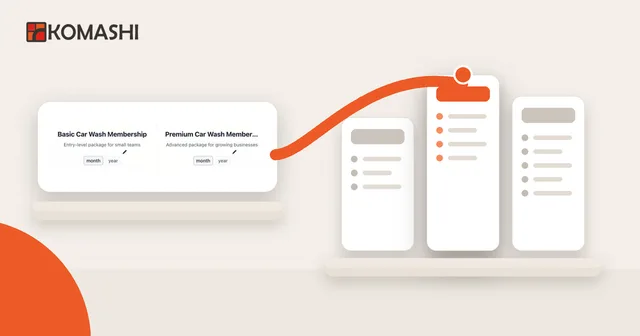
Subscription pricing models: design three clear service plans
Subscription pricing for service businesses: what should separate three plans, how to price each tier from its cost, and how to fit it on one offer sheet.