

What is MCP for business software?
What MCP is, what an AI assistant can do in your business software through an MCP connection, and what to check before you turn it on.
At a glance
MCP (Model Context Protocol) is an open standard that lets an AI assistant – such as ChatGPT or Claude – read and change data in business software through a defined set of tools, without copying and pasting. Before you turn it on, check three things: what data it can see, what it can change, and who approves the changes.
This guide is for business owners and operators who already use an AI assistant and have heard that “MCP” can connect it directly to their business software – but are not sure what that means in practice or what to watch out for.
Without MCP, the routine looks like this: you copy the customer list or prices, paste them into the chat, ask your question, then type the answer back into your system by hand. The data can be out of date by the time you paste it, and retyping invites mistakes. MCP replaces that detour.
What is MCP, in plain terms?
MCP is a shared language between AI assistants and business software. On the software side, an MCP server lists what can be done with it. The AI assistant is the MCP client: it connects to the server and, based on the conversation, decides which tool to call.
| Term | What it means | Example |
|---|---|---|
| MCP server | The software’s entrance for AI | Komashi’s MCP server |
| MCP client | The AI tool that connects | ChatGPT, Claude |
| Tool | A named action with inputs and a result | “List plans”, “Cancel subscription” |
| Sign-in | On whose behalf the connection works | Your own account |
Tools that read and tools that change
Tools fall into two groups, and this is the most important difference:
- Read tools look things up (customers, plans, invoices, usage). At worst, you get a wrong answer.
- Write tools create, change or delete things (customers, subscriptions, services). They make real changes, so you should see and approve what will happen first.
What MCP does not do
It does not make decisions for you. The AI assistant suggests, summarises and prepares, but its answer is not approval for a price, a new customer or a cancellation. You are just as responsible as if you had clicked in the interface yourself.
From a question to an annual plan – an example
Example: the owner of a maintenance company asks their AI assistant which plans have no annual version.
- The assistant looks up the plans with a read tool and answers: Care and Care Plus are only available with monthly billing.
- The owner asks for an annual version of Care Plus at 10% off.
- The assistant shows a summary of the new billing period and price, and asks whether to go ahead.
- Only after approval does anything change in the system.
What to check before you turn it on
| Question | Why it matters |
|---|---|
| What data can the connection see? | It should see the same as you do in the interface. |
| Which tools change or delete data? | These are the ones that need approval. |
| How do you revoke access? | For when a tool or device is no longer in use. |
| Does your AI tool support remote MCP servers? | Not every client or plan does. |
How to set this up with Komashi
Komashi has its own MCP server that you can connect AI tools to. The connection signs in with your own Komashi account and can only reach the data your account can. Each tool is marked as read-only or as one that changes or deletes data.
Setting up a new service starts as a draft: the assistant collects the details, shows you a summary, and the service is only created after you explicitly approve it. The connection steps and the full tool list are on the developer page.
Checklist
- You know which AI tool you are connecting and whether it supports remote MCP servers.
- The connection signs in with your own account.
- You have reviewed which tools change or delete data.
- Someone on your team is responsible for approving changes.
- You know how to revoke access.
Next step
See the Komashi developer page, or read how to connect Komashi to your AI tools.
Sources and further reading
Updated:
More articles
How to use AI to draft — and verify — service pricing
How to get a usable plan and price draft from AI for a recurring service, and what to check before it reaches your customers.
How to connect Komashi to your AI tools
Connect Komashi to an AI tool that supports MCP in four steps: server address, sign-in, a first read-only question, then the rules for changes.
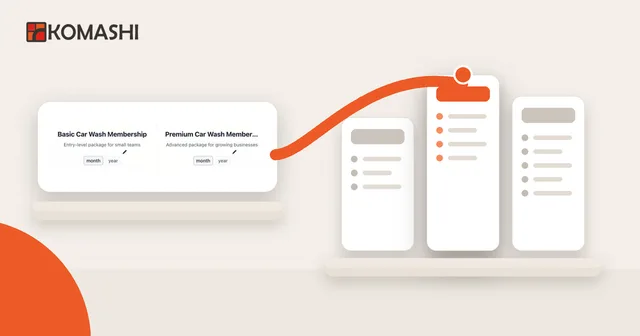
Subscription pricing models: design three clear service plans
Subscription pricing for service businesses: what should separate three plans, how to price each tier from its cost, and how to fit it on one offer sheet.